

DZ-BOX22

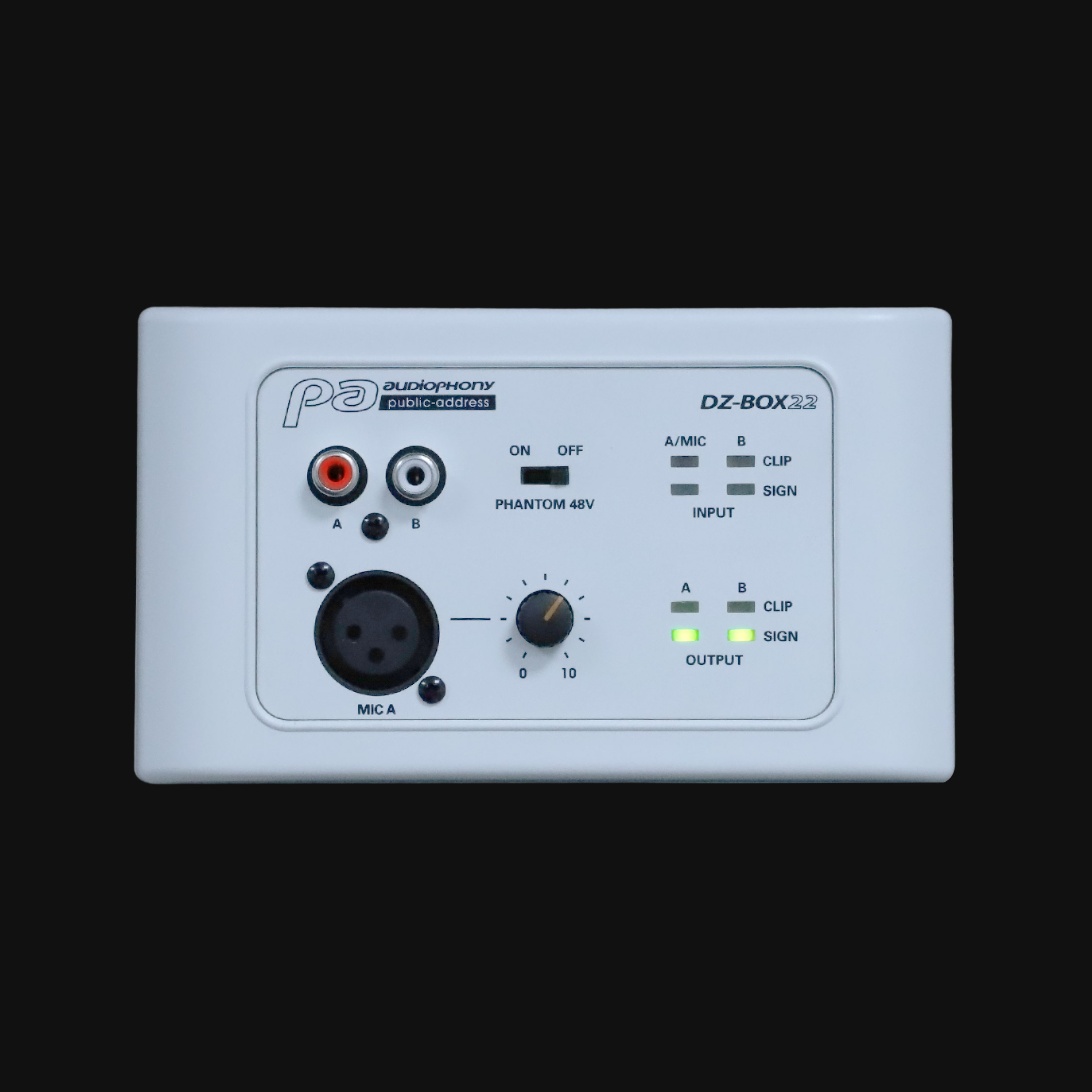
Microphone or line connection box for assignment to channels 9/10 or 11/12 of the DZ-MATRIX matrix. Features two balanced analog outputs
269,00 € inc. VAT
Microphone or line connection box for assignment to channels 9/10 or 11/12 of the DZ-MATRIX matrix. Features two balanced analog outputs
• 2 analog inputs (microphone or line)
• Option to rename the unit in the software
• XLR or RCA connections
• 2 balanced analog outputs on the rear terminal block
• Microphone sensitivity adjustment
• Phantom power switch
• Signal and clip indicator LEDs for inputs and outputs
• RD port for connecting to digital channels 9/10 and 11/12 of the DZ-MATRIX* matrix.
*Use CAT5e or CAT6 cable up to 100 m long.
Features :
Inputs.
Balanced
• Connectors: 3-pin XLR and RCA
• Input impedance: 5.1 KΩ
• THD+N: < 0.01% typical 20–20 kHz, 0 dBu
• Maximum input level: 20 dBu
• Frequency response: 20 Hz ~ 20 kHz ± 1.5 dB
• Dynamic range: -107 dB max., A-weighted
• Crossover distortion: -87 dB max., A-weighted
Outputs.
Balanced
Connectors: 2 3-pin terminal blocks, 5 mm pitch
Impedance: 240 Ohms
Maximum output level: +20 dBu
Frequency response: 20 Hz ~ 20 kHz ± 1.5 dB
Dynamic range: -107 dB max., A-weighted
Crossover distortion: -87 dB max., A-weighted
Indicators.
Signal: -30 dBu, green
Clip: +17 dBu, red
Ports:
RD network to DZ-MATRIX, RJ45, maximum 100 m of CAT 5E cable (or higher)
Dimensions:
W x H x D: 147 x 86 x 47 mm
⚠ Recommendations — firmware update (June 15, 2026).
- All products in the DZ series must be updated to function properly.
- To install the updates, all your devices must be connected.
- You cannot use the V3.0.0 Setting Software with the DZ-MATRIX V6.3II.
- You cannot use the V2.0.8 Setting Software with the DZ-MATRIX V7.1II.
Improvements made.
DZ-MATRIX:
- Copy of the DSP settings for linked stereo inputs and outputs
- Added a “Clear All” option to the matrix module and enabled one-click matrix creation
- Saving and Loading EQ Presets on the Outputs
- Adding groups (4 for inputs and 4 for outputs)
- Option to select a default preset when the display is turned on
- Configuring the IP Address (DHCP or Static IP)
DZ-PAD:
- Added “VOL-” and “VOL+” buttons to the OUTPUT page
- Add the group page
Specification: DZ-BOX22
|
Téléchargements
Compatible references
 DZ-MATRIXH113931299,00 € inc. VAT